



Webflow vs WordPress for Business Websites: Which One Fits Your Team?
Regardless of your level of technical expertise, Webflow and WordPress can both assist you in creating a distinctive website. The decision between them is based on which platform best suits your company’s real goals for the next three to five years, not on which is more effective.
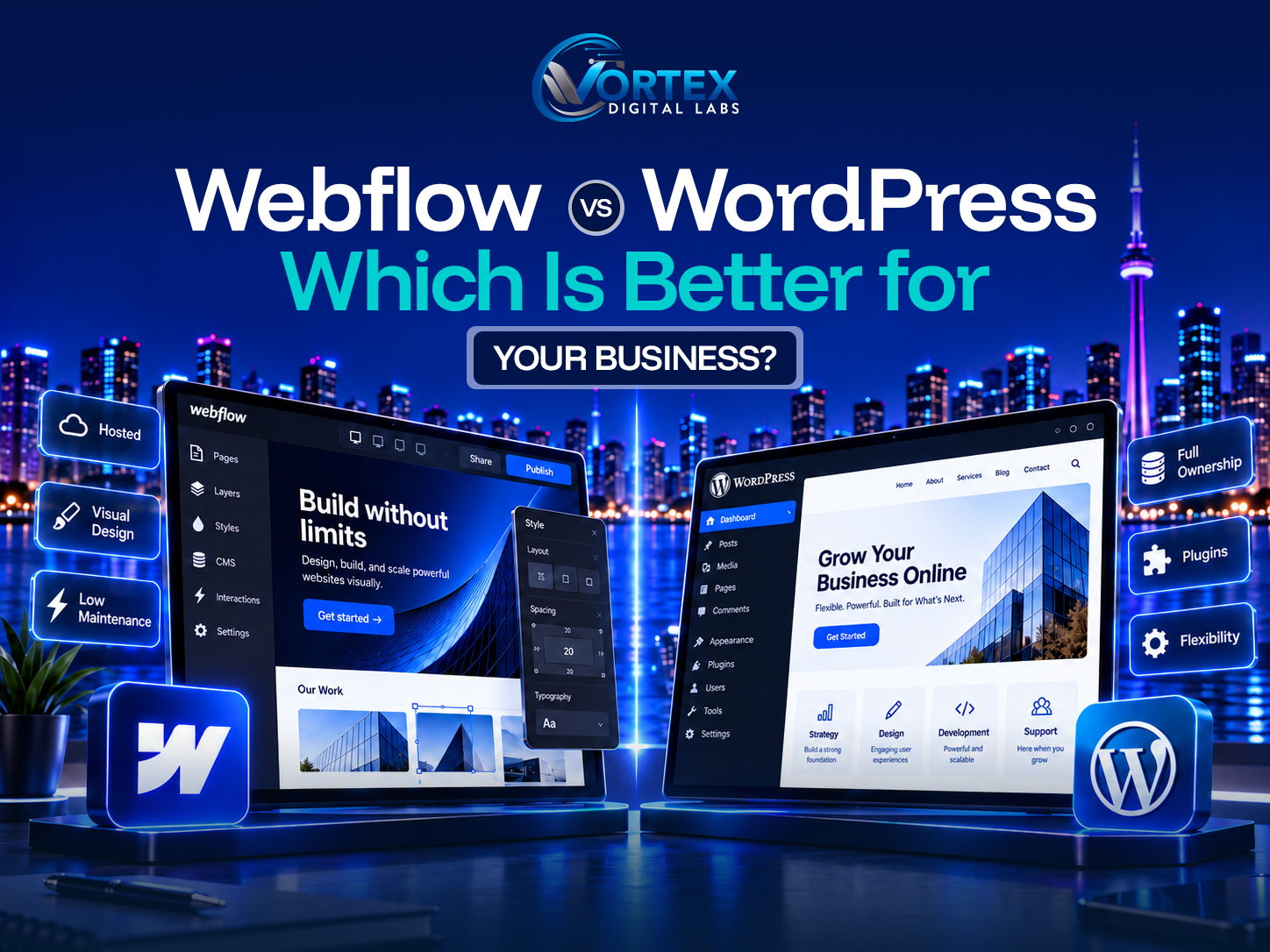
Webflow is a hosted, all-in-one platform: design, content, hosting, and security come in one subscription, with less upkeep but firm plan limits. WordPress is open-source software you host yourself: you get near-endless flexibility and full ownership, but you (or your agency) are responsible for updates, security, and speed.
Neither one is better across the board. This guide compares them on what actually matters to a business: day-to-day editing, design control, team roles, SEO, performance, security, maintenance and integrations. It closes with a side-by-side table and the questions to ask before you choose.
Webflow vs WordPress: What Is the Core Difference?
Webflow sells you a managed service. WordPress gives you software. That single difference shapes almost every other point in this comparison.
How Does Webflow Handle Website Hosting and Maintenance?
Webflow is a hosted platform where you design visually, manage content in a built-in CMS, and publish to Webflow’s own hosting. There are no servers, plugins or software updates to manage. According to Webflow’s hosting page, sites run on AWS infrastructure behind Cloudflare’s global network, with free SSL and DDoS protection included.
The catch is that you work within Webflow’s rules. Your plan decides how many CMS items, pages and features you get, and your site stays on Webflow.
How Does WordPress Provide Control Over Code and Hosting?
WordPress is free, open-source software that you install on hosting of your choice. You own the files and the database, and you can move to a new host whenever you like. Because the software is open, thousands of hosts, developers and agencies support it, so you are never tied to one company for help.
One quick note: this guide is about self-hosted WordPress from WordPress.org. WordPress.com is a separate hosted service with its own plans and limits.
The freedom comes with responsibility. Someone has to choose good hosting, keep WordPress and its plugins updated, take backups and watch security.
Webflow vs WordPress for Business Website Management
For daily management, Webflow offers a more controlled experience out of the box, while WordPress can be shaped into almost any workflow but depends heavily on how it was set up.
Content Editing Experiences and Publishing Workflows
Webflow changed how editing works in 2026. Its old separate Editor was retired on August 4, 2026, according to Webflow’s Help Center. Content editors now work inside Webflow itself, editing text and CMS content directly on the page.
WordPress uses the block editor for posts and pages, and many sites add a page builder such as Elementor or Divi on top. So the editing experience on a WordPress site can vary a lot. Two WordPress sites can feel completely different to the person updating them, depending on how they were built.
Visual Design Control and Brand Consistency
Webflow gives designers close visual control over layout, spacing and responsive behaviour without writing code. Site managers can also lock individual elements so content editors cannot break the design.
On WordPress, design control depends on the theme and page builder. A well-built custom theme can do anything. A heavy multipurpose theme can make simple changes awkward. This is one reason businesses that want a specific look often invest in custom WordPress themes rather than bending a stock one.
User Roles, Permissions, and Content Approval Workflows
WordPress has built-in roles: Administrator, Editor, Author, Contributor and Subscriber. The WordPress.org documentation explains, for example, that a Contributor can write posts but cannot publish them, which gives you a simple review step without extra tools. More advanced approval flows usually come from plugins.
Webflow uses seat-based roles such as Site manager, Designer, Marketer, Content editor and Reviewer, as listed in its roles documentation. The important detail is which plan includes which workflow. On Webflow’s pricing page, publishing workflows, branch staging and page branching sit on the Team plan, which is listed at $2,500 USD a month on an annual contract. Custom roles and design approvals are listed for Enterprise. If your business needs a formal sign-off before anything goes live, check this early.
Webflow vs WordPress for SEO
Neither platform has a built-in ranking advantage. Google ranks pages, not platforms, so the question is how easily each one lets you control the things that matter, and how much of that control your team will actually use.
On-Page SEO Controls
Webflow includes most on-page controls natively. Its pricing page lists editable page titles and meta descriptions, alt text, Open Graph settings, canonical tags, an auto-generated XML sitemap, robots.txt editing, and 301 redirects on paid plans.
WordPress handles some of this in core and leaves the rest to plugins. Core XML sitemaps arrived in WordPress 5.5. Most businesses then add an SEO plugin such as Yoast or Rank Math for meta fields, redirects and schema. Google’s SEO Starter Guide notes that “If you use a CMS, you might not need to do anything technical to your titles, beyond just focusing on writing good titles.” Both platforms meet that bar once set up properly.
Technical SEO Considerations
The main technical difference is who maintains the foundations. On Webflow, hosting, SSL, and the sitemap are handled for you, so there are fewer ways for technical SEO to quietly break.
On WordPress, you control everything, which cuts both ways. You can fine-tune redirects, server rules and URL structures. But a slow host, a conflicting plugin or a messy theme update can undo good SEO work without anyone noticing for weeks.
Schema Markup Implementation and Structured Data Workflows
Structured data (schema) helps search engines understand your pages. In Webflow, you usually add it through custom code in page or CMS templates, and Webflow’s pricing page places dynamic custom code on the Premium plan. That works well, but someone needs to write and test the code.
In WordPress, SEO plugins generate common schema types automatically, and editors fill in fields without touching code. For teams that publish a lot of articles, products or locations, that can be the more practical workflow.
Performance, Security and Maintenance
On average, Webflow sites load faster and need far less upkeep. WordPress can match or beat that, but only with good hosting and disciplined maintenance.
Cloud Hosting Infrastructure and Core Web Vitals Performance
Webflow controls its hosting stack, so every site starts from the same fast foundation. WordPress performance depends on the host, theme and plugins you choose, which creates a much wider range of results.
The data reflects this. HTTP Archive figures for June 2026, as reported by the performance site Hostingstep, show 68.1% of Webflow sites passing Google’s Core Web Vitals on mobile, against 48.8% of WordPress sites.
Read these as averages, not limits. The WordPress number includes millions of sites on cheap shared hosting with heavy themes, and that pulls the average down. A carefully built WordPress site on quality hosting can be very fast. Our guide on how website hosting affects speed, security and SEO explains why hosting is often the deciding factor.
Software Updates and Vulnerability Management
With Webflow, there is no core software, plugin or PHP version to update. Webflow handles the platform, and its pricing page lists automatic backups with one-click restore.
With WordPress, maintenance is your job or your agency’s. That means updating WordPress core, plugins and themes, keeping PHP current (WordPress recommends PHP 8.3 or higher), testing after updates and keeping backups. Auto-updates help, but they are not a full plan.
Security on WordPress is mostly about how you manage it. WordPress’s own security hardening guide is refreshingly honest: “What security is though is risk reduction, not risk elimination.” It warns that “Older versions of WordPress are not maintained with security updates,” and advises owners to keep plugins updated and to delete any plugin they are not using. Each extra plugin is one more thing to watch.
Webflow is not risk-free either. It lists SOC 2 Type 2 and ISO 27001 certifications on its Trust Center, but you are still responsible for user access, two-factor login and any third-party scripts you embed.
Plugin Ecosystems and Third-Party Dependencies
WordPress has an enormous ecosystem. The official WordPress.org plugin directory listed over 74,000 free plugins. That is a huge advantage for features, and also the main source of conflicts and security issues when sites rely on too many.
Webflow’s Apps marketplace is much smaller, with 412 apps listed on the same date, so more features rely on embeds or outside tools. The bigger dependency on Webflow is the platform itself. Webflow has retired features before: its Logic automation tool and User Accounts (memberships) were both sunset, with User Accounts switched off on January 29, 2026, according to Webflow’s Help Center. When a hosted platform removes a feature, you have to work around it.
Integrations and Business Requirements
Both platforms connect to common marketing tools. The gap opens when you need memberships, complex logic or deep links into business systems, where WordPress’s open ecosystem gives it more room.
CRM, Email Marketing, and Standard API Integrations
For everyday tools like a CRM, email marketing, analytics and form handling, both platforms are well covered. Webflow lists apps such as HubSpot and Zapier in its marketplace and offers APIs for developers. WordPress has plugins for almost every marketing tool, plus the WordPress REST API for custom connections.
If your stack is standard, either platform will usually handle it.
Advanced Custom Functionality and CMS Development Limits
Webflow supports custom code, code components and developer APIs, so a skilled team can extend it a good way. But some things are no longer native, such as member logins, and its code export has firm limits. Webflow’s export documentation notes that exported code does not include CMS content, ecommerce or localized content. CMS data can be exported separately as CSV.
WordPress has no such ceiling. Developers can build custom plugins, custom post types and full integrations, and you keep all of it. That is why many companies hire expert WordPress developers for complex builds instead of stretching a hosted platform.
When Should Third-Party Integrations Dictate Your Platform Choice?
Integrations usually decide the platform when your website needs to do one of these:
- Let customers log in to accounts, portals or members-only content.
- Sync closely with inventory, booking or accounting systems.
- Run a large or complex online store.
- Serve full English and French versions for Canadian audiences. Webflow offers a paid Localize add-on, while WordPress uses third-party plugins such as WPML or Polylang.
If any of these sit at the heart of your business, test the integration before you commit, not after.
Webflow vs WordPress: Business Comparison Table
This table summarizes the comparison. Figures are from official sources as of October 2026; plan details change, so confirm current limits before deciding.
|
Factor |
Webflow |
WordPress (self-hosted) |
|---|---|---|
|
Hosting model |
Hosted by Webflow, SSL and CDN included |
You choose and pay for hosting |
|
Ownership and portability |
Site stays on Webflow; limited code export |
Full ownership; move hosts freely |
|
Editing experience |
Visual editing inside Webflow |
Block editor or a page builder |
|
Design control |
Precise visual control, lockable elements |
Depends on theme or custom build |
|
Roles and approvals |
Seat-based roles; workflows on higher plans |
Built-in roles; workflows via plugins |
|
CMS limits |
20,000 items and 40 Collections on Premium |
No platform cap; limited by hosting |
|
SEO controls |
Mostly native |
Core basics plus SEO plugin |
|
Performance defaults |
Stronger on average |
Wide range, depends on setup |
|
Security responsibility |
Platform managed by Webflow |
Owner, host or agency |
|
Maintenance |
No software updates to run |
Regular core, plugin and theme updates |
|
Ecosystem |
412 apps (Oct 2026) |
74,000+ free plugins (Oct 2026) |
|
Memberships |
No native option since Jan 2026 |
Mature membership plugins |
|
Bilingual sites |
Localize add-on |
Multilingual plugins |
|
Pricing model |
Per-site subscription in USD |
Free software plus hosting and upkeep |
|
Best fit |
Design-led sites, lean teams |
Content-heavy, integration-heavy, ownership-focused sites |
Which Business Situations Fit Each Platform?
The right pick depends on how your business works, not which platform has more fans. When teams ask us about Webflow vs WordPress for business website projects, these three situations come up most.
Ideal CMS Solutions for Design-Led B2B Sites and Managed Infrastructure
Webflow is a strong fit for design-led marketing sites, B2B companies and lean teams without a developer on call. You get a polished site, managed hosting and a simple editing setup, and you do not have to think about plugin updates. It suits businesses that value a low-maintenance website over unlimited flexibility.
Highly Extensible Platforms for Complex Integrations and Data Ownership
WordPress fits businesses that need specific features, deep integrations, memberships, learning platforms or full ownership of their code and data. Its ecosystem means there is usually an existing solution, and if not, one can be built. Professional WordPress development services make sense here, because the platform’s flexibility only pays off when it is set up and maintained properly.
High-Volume Publishing and Editorial Teams
Volume matters. Webflow’s Premium plan caps CMS content at 20,000 items and 40 Collections, and its Team plan raises Collections to 100 while keeping a 20,000-item base. A blog with a few hundred posts will never notice. A publisher, directory or large resource library could hit those walls within a few years.
WordPress has no platform cap on content and supports editorial roles out of the box, which makes it a natural fit for teams publishing at volume. Just plan for proper hosting as the site grows.
If you are still comparing more than these two options, our guide on how to choose the best website platform for your business covers the wider field.
Questions to Ask Before Choosing
Run through these before you sign anything. The answers usually point clearly to one platform.
- Who will publish, and does anything need sign-off first?
Formal approvals on Webflow sit on higher plans; on WordPress they come from roles or plugins. - How much content will we have in three years?
Compare your estimate with Webflow’s CMS limits. - Do we need customer logins or members-only content?
Webflow now needs a third-party app for this. - Do we need English and French versions?
Price out Webflow Localize against WordPress multilingual plugins. - Who will handle updates and security if we choose WordPress?
Make sure it is someone’s job, and in the budget. - How important is owning our code and data?
Check what you could take with you if you leave. - What would moving later involve?
If you might switch platforms one day, read our website migration SEO checklist to see what a careful move involves.
Frequently Asked Questions
Not inherently. Google does not favor either platform. Webflow includes most SEO controls natively, while WordPress needs an SEO plugin for some of them. Rankings depend on content, technical setup and speed, which you can get right on both.
On average, yes. Webflow sites score higher in HTTP Archive data because every site shares the same managed hosting. A well-built WordPress site on good hosting can perform just as well, but results vary much more.
Webflow manages platform security for you, which removes the plugin risk that causes most WordPress vulnerabilities. WordPress can be very secure too, but only with regular updates, careful plugin choices and good hosting.
Yes, but it takes work. Webflow’s code export leaves out CMS content, so you export that separately as CSV and rebuild the site in WordPress. Plan redirects carefully to protect your search rankings.
Not natively anymore. Webflow switched off its User Accounts feature on January 29, 2026, and now points customers to third-party apps. WordPress handles memberships through established plugins.
Yes. Webflow offers a paid Localize add-on, and WordPress uses multilingual plugins such as WPML or Polylang. Compare the cost and editing experience for your content volume.

Vortex Digital Labs
Vortex Digital Labs is a full-service digital agency specializing in web design, development, and digital marketing — helping businesses grow online.